DOCUMENTATION / 01
Your first GPU animation开始播放 GPU 动画
Run the included demo, then choose your conversion path.运行随包示例,再选择你的转换路径。
Before you begin准备工作
Start with Unity 2022.3 LTS or Unity 6. The exact verified Windows configurations are listed in Compatibility. Use the Asset Store main package once; avoid installing another copy of the same core under Packages.使用 Unity 2022.3 LTS 或 Unity 6;精确验证环境见兼容性。只导入一次 Asset Store 主包,避免又在 Packages 安装一份相同核心。
Play without installing Spine无需安装 Spine 即可播放
- Import the main SpineGpuAnimation-0.1.0.unitypackage.导入主包 SpineGpuAnimation-0.1.0.unitypackage。
- Open the included scene at the path below.打开下方路径中的随包场景。
- Enter Play Mode. You should see 256 original robots with different animation phases.进入 Play Mode;应看到256个原创机器人,动作相位各不相同。
- Use the three controls to pause/resume, switch the first character’s animation, and move it.使用三个按钮暂停/继续、切换首个角色动画、移动首个角色。
Assets/JoyLinkStudio/SpineGpuAnimation/Samples/CrowdDemo/Generated/ProceduralCrowdDemo.unity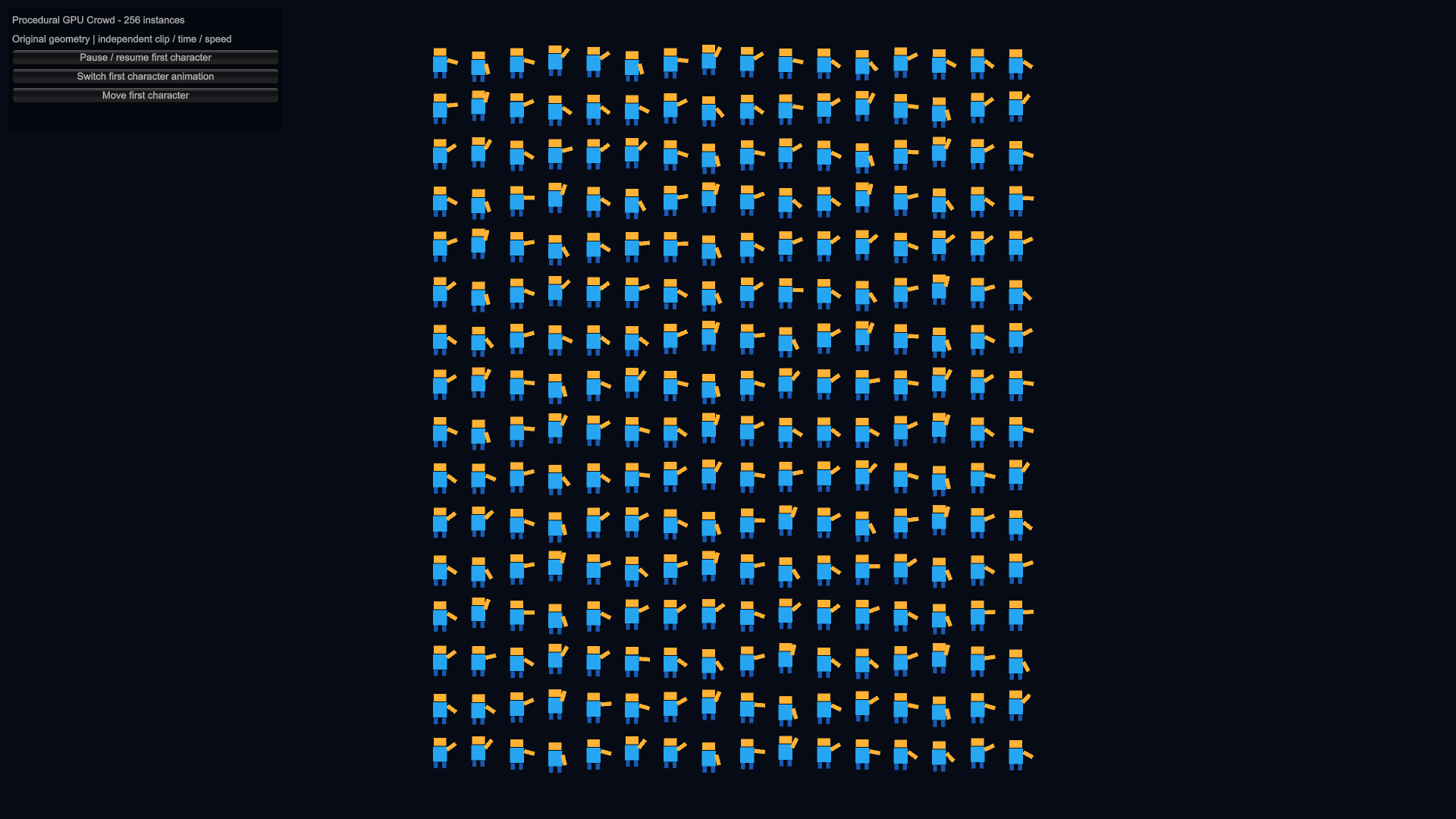
Convert your own Spine data转换自己的 Spine 数据
Conversion is a separate setup step. Obtain the applicable Spine license and matching official spine-unity Runtime, then install exactly one optional adapter. Follow the conversion guide. The core playback demo does not require this dependency.转换需要额外配置:另行取得适用的 Spine 许可和匹配的官方 spine-unity Runtime,再安装一套对应的可选适配器。请按转换指南操作;核心播放示例不需要此依赖。
What the examples contain示例包含什么
CrowdDemo is an original procedural playback example. OriginalSpineInput is a separate, program-authored Spine 4.3-format JSON/atlas/PNG input for learning conversion. It is not exported from Spine Editor and includes no .spine project. Official Spine Runtime and promotional character artwork are not distributed.CrowdDemo 是原创程序几何播放示例。OriginalSpineInput 是另一套用于学习转换的原创 Spine 4.3 格式 JSON/atlas/PNG,由程序直接编写,并非 Spine Editor 导出,也不含 .spine 工程。官方 Runtime 和宣传角色美术不随包分发。