DOCUMENTATION / 07
Reading the performance example理解性能示例
A controlled frame-interval comparison, with its conditions intact.保留完整条件的受控帧间隔对比。
One measured scenario一组实测场景
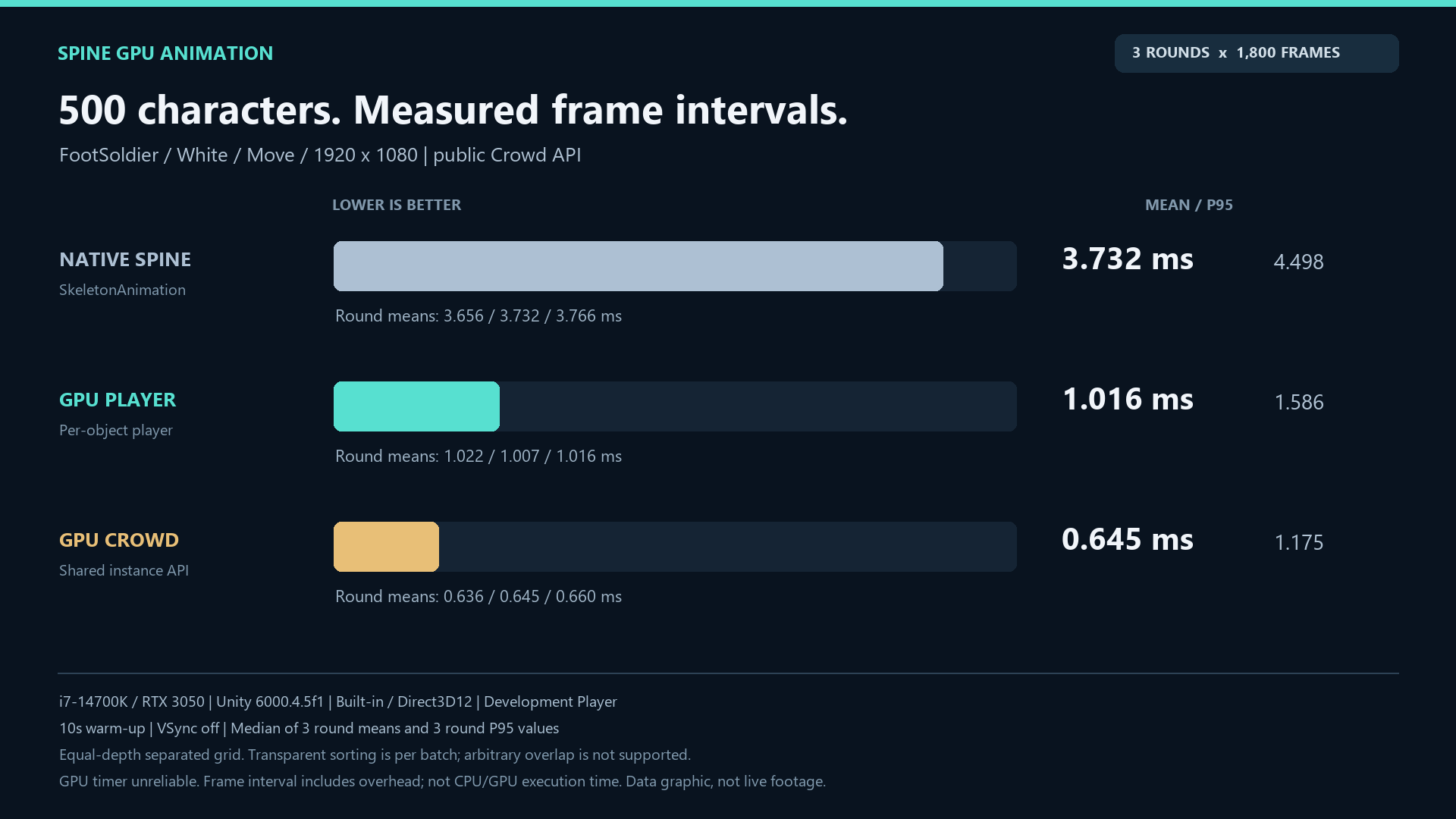
500 FootSoldier characters, White/Move, 1920×1080; Unity6000.4.5f1 Built-in / Direct3D12 Development Player, i7-14700K and RTX3050. Each of three modes had three runs, a 10-second warm-up per run and 1,800 sampled frames. The layout was an equal-depth separated static grid.500个FootSoldier角色、White/Move、1920×1080;Unity6000.4.5f1 Built-in/Direct3D12 Development Player、i7-14700K和RTX3050。三种模式各跑三轮,每轮预热10秒并采样1800帧,布局为等深分离静态网格。
| Mode | Median round-mean frame interval各轮平均帧间隔的中位数 |
|---|---|
| Native Spine | 3.732 ms |
| GPU Player | 1.016 ms |
| GPU Crowd | 0.645 ms |
What the numbers mean数字意味着什么
These are frame intervals including instrumentation overhead, not CPU or GPU execution times. GPU timer readings were unreliable and excluded. The performance video is an animated data chart, not a real-time recording. Results do not establish URP performance, arbitrary-overlap sorting or universal acceleration.这是包含测量开销的帧间隔,不是CPU或GPU执行时长。GPU计时读数不可靠,未采用。性能视频是数据图动画,不是实时录屏。结果不证明URP性能、任意重叠排序或通用加速倍数。
Evaluate your project评估自己的项目
Profile a representative build on your target hardware with your own compatible, licensed input. Keep clip, count, camera, resolution, pipeline and build settings consistent between runs. Compare visual output as well as timing. Atlas/mesh/material memory and CPU playback updates still exist; shared rendering is not zero CPU or zero memory.在目标硬件上,用自己的兼容且合法输入对代表性构建做Profile;多轮间保持动画、数量、相机、分辨率、管线和构建设置一致,同时比较视觉和耗时。atlas/mesh/material内存及CPU播放更新依然存在,共享渲染不等于零CPU或零内存。