DOCUMENTATION / 02
Check, bake, play检查、烘焙、播放
Install one matching adapter and create your first saved resource.安装匹配的适配器,创建首个持久保存的动画资源。
Choose one matching version选择一套匹配版本
Match the minor version of your Spine data and official Runtime: 4.1, 4.2 or 4.3. Install that official Runtime separately, including its own prerequisites such as UGUI when required. Then import only the corresponding optional package under:Spine 数据与官方 Runtime 的小版本须匹配:4.1、4.2或4.3。另行安装该官方 Runtime,并按其要求安装 UGUI 等前置,再从以下路径只导入对应的可选包:
Assets/JoyLinkStudio/SpineGpuAnimation/Integrations/OptionalPackages/
  Spine41Integration.unitypackage
  Spine42Integration.unitypackage
Spine43Integration.unitypackageCheck the input检查输入
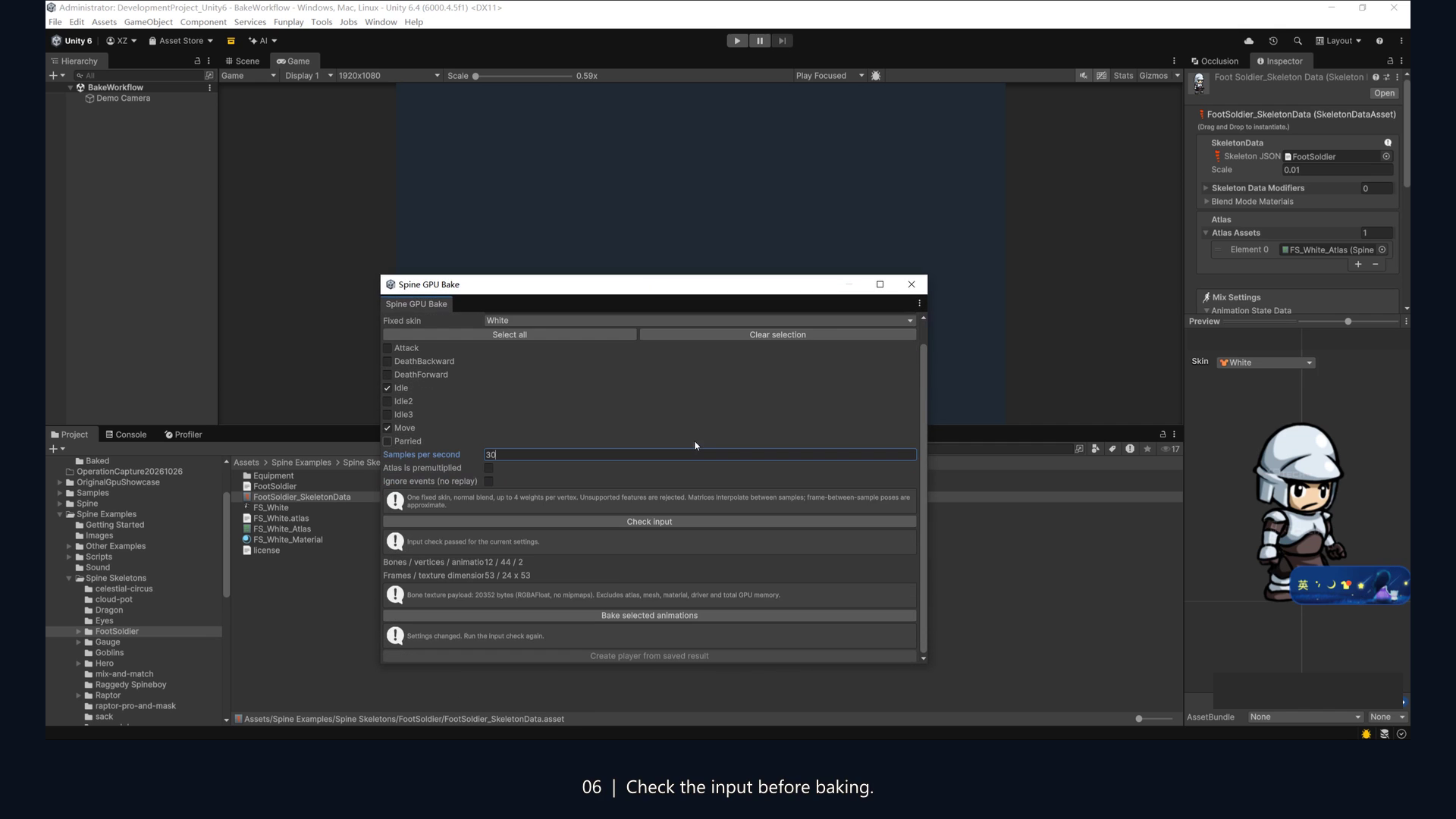
- Select a SkeletonDataAsset and open Tools → Spine GPU → Bake Animations.选择 SkeletonDataAsset,打开 Tools → Spine GPU → Bake Animations。
- Choose an actual fixed skin and the clips to bake. Set a finite sampling rate greater than 0 and at most 240 Hz.选择实际存在的固定 skin 和需要的动画;采样率须为大于0、不超过240Hz的有限值。
- Match Atlas is premultiplied to your source texture. Explicitly choose Ignore events only if discarding events is acceptable.按源纹理设置 Atlas is premultiplied。仅在接受丢弃事件时显式选择 Ignore events。
- Run Check input. Resolve all blocking errors; review warnings, selected animations and the bone-texture estimate.执行 Check input,处理所有阻断错误,检查提醒、动画选择和骨骼纹理估算。
Save and create a player保存并创建播放器
Use Bake selected animations and save the resource to an .asset path under Assets. Then choose Create player from saved result and enter Play Mode. Saving a resource alone does not create a GameObject. Adjust your camera and object scale as needed.点击 Bake selected animations,将资源保存到 Assets 下的 .asset 路径,再点击 Create player from saved result 并进入 Play Mode。仅保存资源不会自动创建 GameObject;按场景调整相机和物体尺寸。
Changes to the input, skin, clips, sample rate, alpha or event settings invalidate the displayed result. Check and bake again before creating a player from new settings.输入、skin、动画选择、采样率、alpha 或事件设置变更后,旧检查与创建结果失效。使用新设置前须重新检查、烘焙。
Reproduce the original example复现原创转换示例
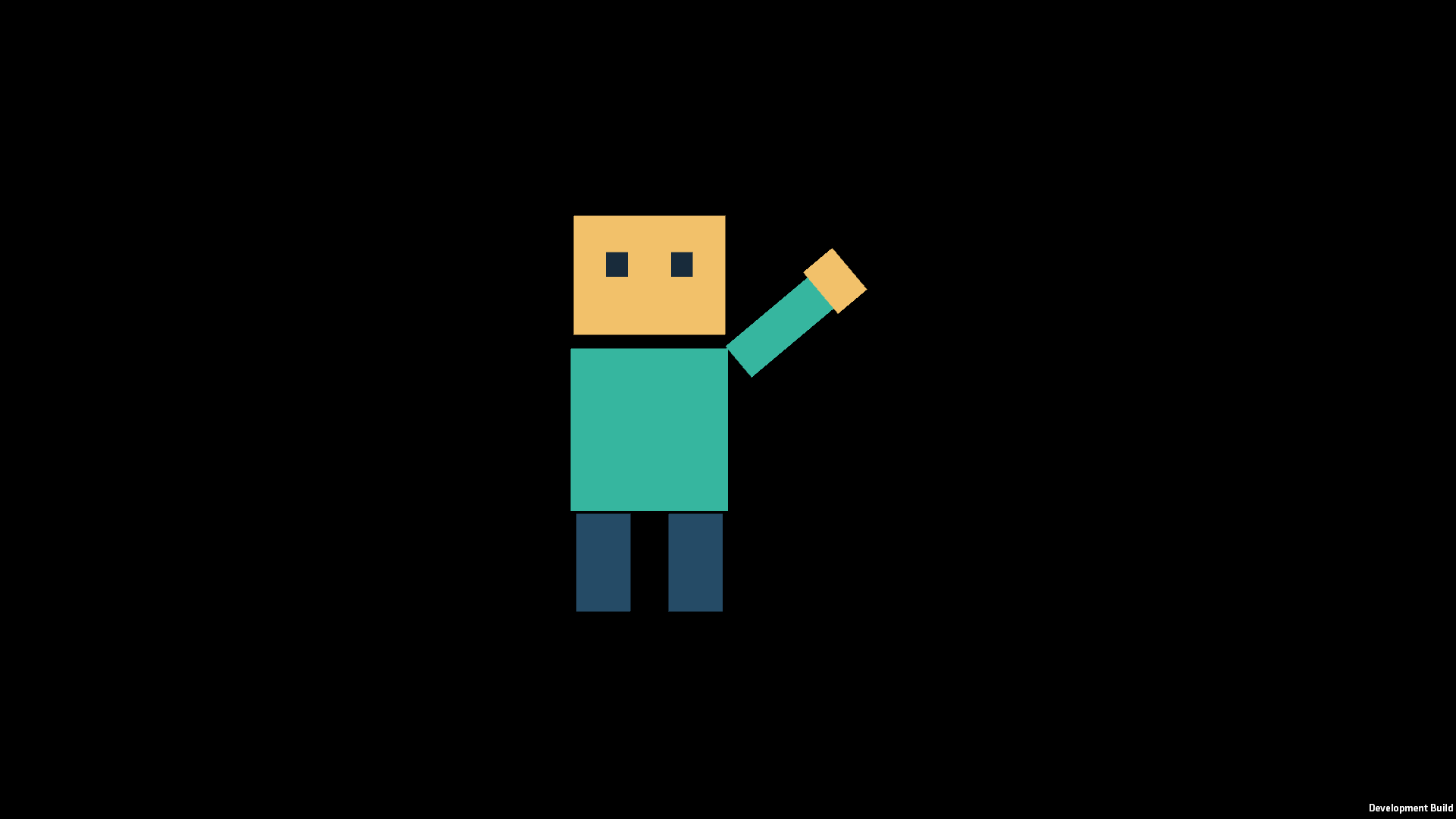
Use Samples/OriginalSpineInput and follow its included README with the matching official 4.3 Runtime and Spine43Integration. This fixed-region, two-bone example has Idle and Wave clips. The final r2 package completed Check → Bake → save/reload → visible playback in Unity 2022.3 Built-in. This does not verify every Spine version across every pipeline.使用 Samples/OriginalSpineInput,按随包 README 安装匹配的官方4.3 Runtime 和 Spine43Integration。该固定 region、双骨骼例包含 Idle/Wave。最终r2已在 Unity2022.3 Built-in 完成检查→烘焙→持久保存重载→可见播放;不代表全部 Spine版本与管线组合均通过。
Understand the conversion boundary理解转换边界
Use a fixed skin/attachment configuration, one atlas texture/material, normal blending and at most four influences per vertex. Unsupported timelines and semantics are reported rather than silently preserved. See the full scope before converting production assets.采用固定 skin/attachment、单 atlas 纹理/材质、Normal 混合、每顶点最多4个骨骼影响。工具会报告不支持的时间线和语义,不会声称静默保留。转换生产资源前请阅读完整范围。